Branded videos

Helps your target audience learn more about your brand.

Branded videos can be an excellent addition to your content strategy, allowing you to communicate clearly and professionally in an effective video format. In fact, 78% of marketers believe video has helped boost sales!

By producing well-structured branded videos, you develop a clear brand identity, enhancing your marketing potential and improving brand awareness. You can use video content to highlight your mission and reach new audiences with content designed to educate and engage.

Wondering how you can get started with branded video content in 2024? Here’s your 101 guide to everything you need to know!

What is a branded video?

Branded videos are visual content company brands produce to share their mission or values without directly advertising their products or services.

Instead of focusing on specific marketing activities, branded videos drive brand awareness and alignment, helping you build an active and engaged audience before you start pushing sales.

There are many different ways to use branded videos. If you develop your approach well, you can make the most of great business growth opportunities over time.

Why use branded videos?

Branded videos offer many important benefits that can help you get more out of your marketing strategy, even setting up a long-term approach to generating interest in your business.

While branded videos often focus on a brand awareness goal instead of prioritizing selling, they can still be powerful in terms of conversions. As many as 88% of people say that a brand video has convinced them to purchase a product or service!

Benefits of branded videos for your marketing

At heart, branded videos are a form of storytelling. Designed to entertain audiences as well as to inform, branded videos can make an impact, achieving memorable results. Here are some benefits of branded videos:

Evergreen content

Unlike campaign marketing videos, branded videos are built to stand the test of time. Branded videos always align with your brand’s purpose and voice, which means that you can keep using the same branded content for longer without it getting out of date.

Engagement boost

Another great advantage of branded video content is its ability to engage audiences. Audiences are invited to interact directly with content and to respond to calls to action, helping you generate more interest and brand power.

Easy social sharing

Often, branded videos are fun, interesting conversation pieces that prioritize shareability. Easy sharing allows for great distribution across a variety of social media platforms. This gives you more chances to reach a wider audience than ever before.

Authenticity and trust

Video content allows audiences to connect with the brand on an authentic and personal level. This helps to improve your brand persona and support relationship building. Video content can help you demonstrate your authenticity, generating increased trust and brand loyalty.

Types of branded videos and examples

There are several different types of branded videos that you can use to add extra value to your marketing style and approach. These are some of our favorites!

1. Brand film

In many cases, your branded video strategy will start with a brand film, a short video intended to introduce your business. This is your chance to introduce your brand and what it stands for, from highlighting your purpose to offering an overview of your brand story.

Brand film videos are a great way to enhance your brand’s authenticity, helping you connect with your audience and build trust. Many consumers enjoy learning about brands they love in this format, giving them new ways to engage with your business as it grows.

Example: We are Powerhouse | Brand Film 2022

In this brand film, Shopify uses excellent-quality storytelling and production value to introduce the business’s core offer and how it can serve users. Short and sweet, this video explains Powerhouse’s key mission and the brand’s founding values.

2. Case study

Case study videos are a great way to showcase what your brand can do! These videos introduce real-life scenarios that demonstrate how your brand – and its products or service – has helped past clients or customers.

By producing case study videos, you can offer social proof of your value while addressing consumer pain points your brand can resolve. This can be an excellent way to promote your brand without overselling, maximizing your conversions by letting your customers take center stage.

Example: Nurture Digital – Nike Case Study

This case study video relies on a well-known customer’s experiences to offer extra case study credibility. The video provides a comprehensive overview of Nurture Digital’s marketing approach to implementing a successful Nike live event campaign.

3. Testimonial

Testimonials are another brand video staple, allowing you to highlight consumer reviews without diving as deep into your brand’s purpose as you would with a case study video.

By including testimonials as part of your video strategy, you can easily boost your brand’s credibility and start to build trust with your audience. New customers can look to the experiences of your existing consumer base to inform their purchasing decisions, driving positive engagement.

Example: Client Testimonial Video – Direct Agents

In this testimonial video, Direct Agents presents real customer reviews as social proof of the value the brand can offer. This video gives viewers a chance to hear from consumers with positive stories to tell about how the Direct Agents team helped them.

4. Company culture

Company culture videos are another popular choice. These videos are designed to offer your audience behind-the-scenes insight into your business and the way it works. This can help you build relationships and put a face to your work.

In addition to appealing to consumers, company culture videos can help you attract new talent to your brand. This can help you build an engaged, motivated professional team to support your business development goals as your company continues to grow.

Example: Inside Pottery Barn’s Corporate Culture

This video uses effective and professional production techniques to take audiences behind the scenes and get a glimpse of the company’s corporate culture. The video includes interviews with a range of employees, as well as featuring footage from Pottery Barn workplaces.

5. Product demonstrations

Finally, product demo videos are a great resource for helping you introduce the products your brand is known for without switching over into sales territory. You can highlight your offer in a clear, engaging way.

Product demonstration videos provide technical details and explanations that help audiences learn more about your best products. This allows you to guide purchasing decisions while keeping the focus on the value you can offer at your business.

Example: Short Platform Walkthrough Video – Riverside

This platform walkthrough is the ultimate product demonstration. The video quickly and simply shows audiences how to use Riverside software, from start to finish. It also includes helpful tips and insight into key product features!

How to create a brand video professionally with Riverside

If you want to create professional-quality brand videos, Riverside can help! Riverside is a leading video creation platform used by some of the biggest names out there including Gary Vaynerchuk, Microsoft, TED, and more.

Whether you’re recording a top-notch brand video, testimonial interview, or webinar, the platform offers you a seamless experience. With high-quality video and audio resolution, an easy-to-use interface, and all the studio tools you need it’s the ideal recording solution.

Some key features Riverside offers includes:

  • Local recording: All video and audio is recorded directly on your device, rather than over the internet. This means your resolution won’t suffer if you have internet problems.
  • Remote recording: You can record videos with up to 8 participants in one session, no matter where in the world they are.
  • Separate audio and video tracks: Download individual tracks for all participants to give you maximum editing control.
  • High quality recordings: Record in up to 4K video resolution and uncompressed 48kHz audio quality
  • Progressive uploading: Files upload to the cloud while recording, so they remain safe and you don’t have to wait long for uploads to finish once you’re done.
  • Text-based video editor: Trim out sections as fast and easily as deleting text from your recording transcript
  • Automated editing tools: Customize your video, fine tune audio or create short shareable clips.
  • Producer mode: Invite a producer to work behind-the-scenes and direct yoru video recordings. Producers don’t get recorded so they can freely work without worrying about interrupting the recording!
  • Business plan for a more customized experience: Our Business plan offers you a shared workspace, custom frame rates and more controls access, among other features. (Learn more here)

Start experiencing all these features and more! Sign up for Riverside today.

To get started with Riverside video production, follow these simple steps!

Step 1: Log in to the Riverside studio, and navigate to your dashboard.

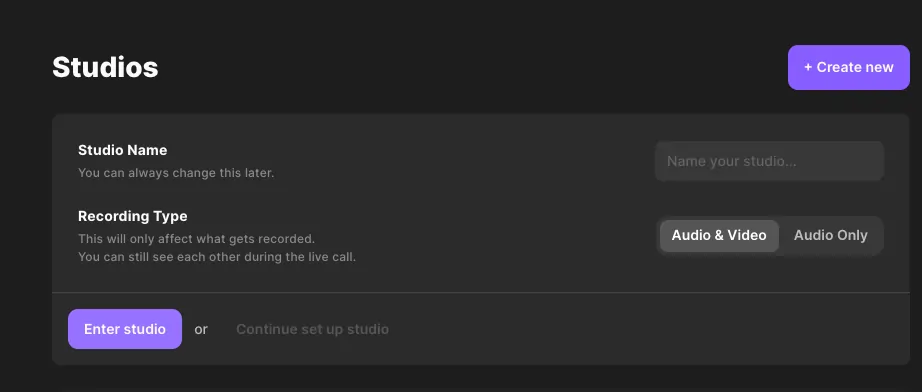
Step 2: Select ‘+ New Studio’. Name your studio, and choose ‘Audio & Video’ recording. Then press ‘Enter studio’.

Creating a studio on Riverside to make a branded video

Step 3: On the next screen, check that your camera and microphone are working correctly. Select whether or not you’re using headphones before choosing ‘Join Studio’.

Testing equipment to make a branded video

Step 4: Select Invite People to add guests to your Riverside call. This step can also be completed prior to entering the studio.

Step 5: Use the panel on the right side of your screen to name your recording and adjust audio settings.

Making a branded video on Riverside

Step 6: When you’re ready to start filming, press the red Record button at the bottom of your screen.

Step 7: Once you’ve finished recording, press the Stop button. Wait for files to finish uploading, and choose View recordings from the right-side panel to access recorded files.

Step 8: You’ll be directed to a page where you can download and edit your recordings. You can either choose to download them as separate tracks and edit them on your own software. (There’s even the option to download them into a Premiere Pro or Descript timeline).

Alternatively, you can seamlessly edit directly on Riverside. Select the take you want to adjust and use the Edit button to access Riverside’s advanced video editing features.

Editing a branded video on Riverside

Step 9: When you’ve finished editing your recording, Export your files, and share as desired.

Best practices for branded videos

When producing your own branded videos, there are a few things you should keep in mind to ensure you’re creating the best content possible.

Know your audience

No matter what kind of content you’re creating, your audience should always be a key consideration. Before you produce a branded video, ask yourself who you’re speaking to and what kind of content will appeal most to your target audience. This can help you achieve the right tone and improve the accessibility of your video content.

Remember your subtitles

In today’s world, video content is often viewed on mobile devices, where sound isn’t a guarantee. To ensure that your video stands out and offers value regardless of whether or not it’s on mute, add accurate caption or subtitles to the screen. You’ll reach more people and even benefit from SEO (search engine optimization) benefits. If you’re on one of Riverside’s paid plans, we automatically generate transcriptions for you.

Be the expert

Branded videos are your chance to show off your professionalism and expertise, so make the most of the opportunity. Use your branded content to talk about your mission and highlight what you do best. When you stay on topic and stick to what you know you can do well, you can establish your credibility as an authority in your industry.

Don’t worry about a CTA

Most of the time, good content creation relies on the inclusion of an effective CTA, or call to action, but branded videos are a little different. With branded content, your goal is simply to build awareness and trust. Skip CTAs that push a sales agenda. If you really think you need a CTA, make it one with a branding focus, directing viewers to your blog, social media accounts, or something similar.

FAQs on branded videos

Still unsure about what branded videos could really mean for your business? Here are our answers to a few frequently asked questions.

What is an example of branded content?

There are plenty of great examples of branded content! These include a range of video types, from brand films to testimonials, case studies, and more. Check out some of the examples above to see what branded video content looks like in action.

How much does a branding video cost?

The cost to produce a brand video will depend on a variety of factors. Some branded videos may require advanced editing and production techniques, which may be more expensive or require you to outsource for professional production support. Other brand videos will be simpler and more streamlined, able to be created by your own team.

What is brand video marketing?

Branded video marketing is an approach that starts with your brand and its mission instead of highlighting specific products or services. Brand video marketing can help you market your business holistically without needing to focus on a single idea or potentially time-sensitive campaign.

Ready to start creating great brand video content? Try Riverside today, and make the most of studio-quality production tools.

Trade shows and corporate events are a great way to showcase your products, services, and company to potential customers and partners. These events are an essential aspect of marketing for any business looking to expand its reach, build brand awareness, and generate leads.

But in today’s rapidly-advancing tech landscape, in-person trade shows may not always happen—even when they do, video can be an effective tool to enhance the trade show experience. And with so much competition at trade shows, it’s important to stand out from the crowd and leave a lasting impression on attendees.
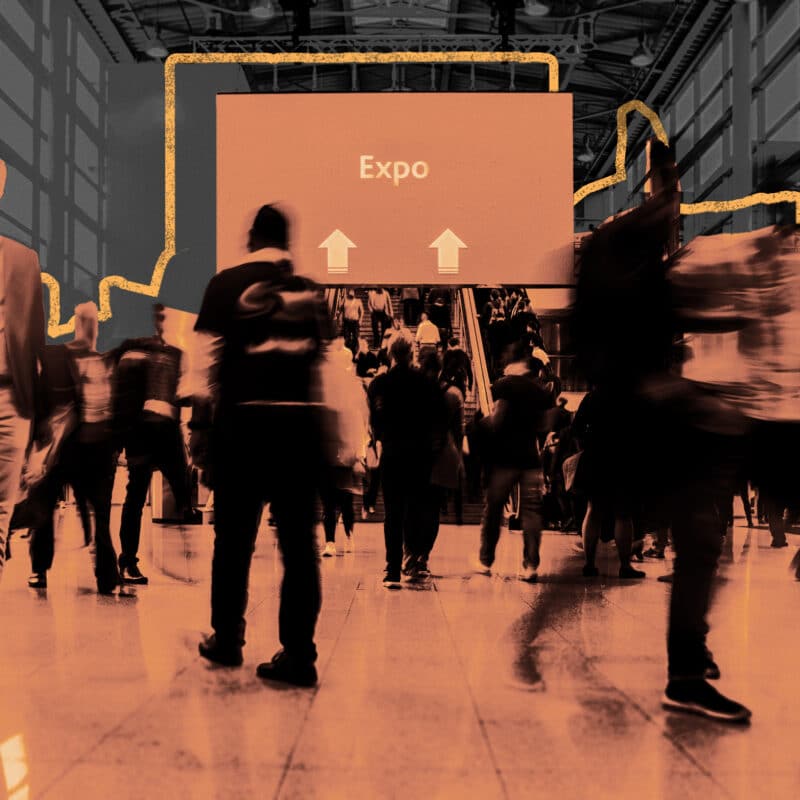
Trade show visitors walking in front of video display With the right video production strategy, you can create engaging and informative content that helps you stand out from your competitors and attract the attention of your target audience in an environment where leads are more qualified than most. In this trade show video production guide, we’ll cover everything you need to know about making the most of your trade show video production, from pre-production to post-production to final deployment on the trade show floor.

How To Approach Trade Show Video Production

Before you start planning your production, it’s important to define your objectives and target audience. Think through the following questions:

  • What do you want to achieve with your video? Are you looking to increase brand awareness, generate leads, or provide product demonstrations?
  • Who is your target audience, and what types of content do they typically consume?
  • What message do you want to convey to your audience?
  • Will your audience be captive—in seats in a presentation hall—or roaming around a sea of booths?
  • Think technical logistics: should your video be prepared without music or speaking (audio agnostic), and does it need to be in a specific aspect ratio to fit event requirements?

Answering these questions will help you develop a clear and focused video production strategy. Next, we’ll talk about some specific tips you can follow as you head into production.

Choose the right type of trade show video

There are several different types of videos that you can create for your trade show, depending on your objectives and audience. Below are some examples from our own experiences crafting event video.

Brand videos:

Brand videos are an opportunity to tell your company’s story and showcase your values and mission. These videos can be a mix of live-action footage, animations, and interviews with key members of your team.

Educational videos:

Educational videos can be used to provide valuable information to your target audience.

Product demos:

Product demonstrations are a great way to showcase the features and benefits of your products—but the product demos of today aren’t necessarily the type of demo you’re used to.

You can use a combination of live-action footage and animations to highlight key features and show how your products work rather than walk through a stationary, voiceover-led clickthrough of a software or service.

Testimonials:

Testimonial videos are an effective way to build trust and credibility with your target audience. You can use customer testimonials to showcase the value of your products and services and demonstrate how they have helped other businesses or individuals.

Hype video:

This type of video leverages a creative concept to get attendees excited about the events to follow. Your company may be featured in the video as an event sponsor or an organizer, but the focus is on feeling.

Produce your video content

Once you’ve defined your objectives, identified your target audience, and chosen the type of video you want to create, it’s time to bring your video content to life. If you have a video partner, they’ll do the work of writing a script and storyboard that outlines the content and structure of your video.
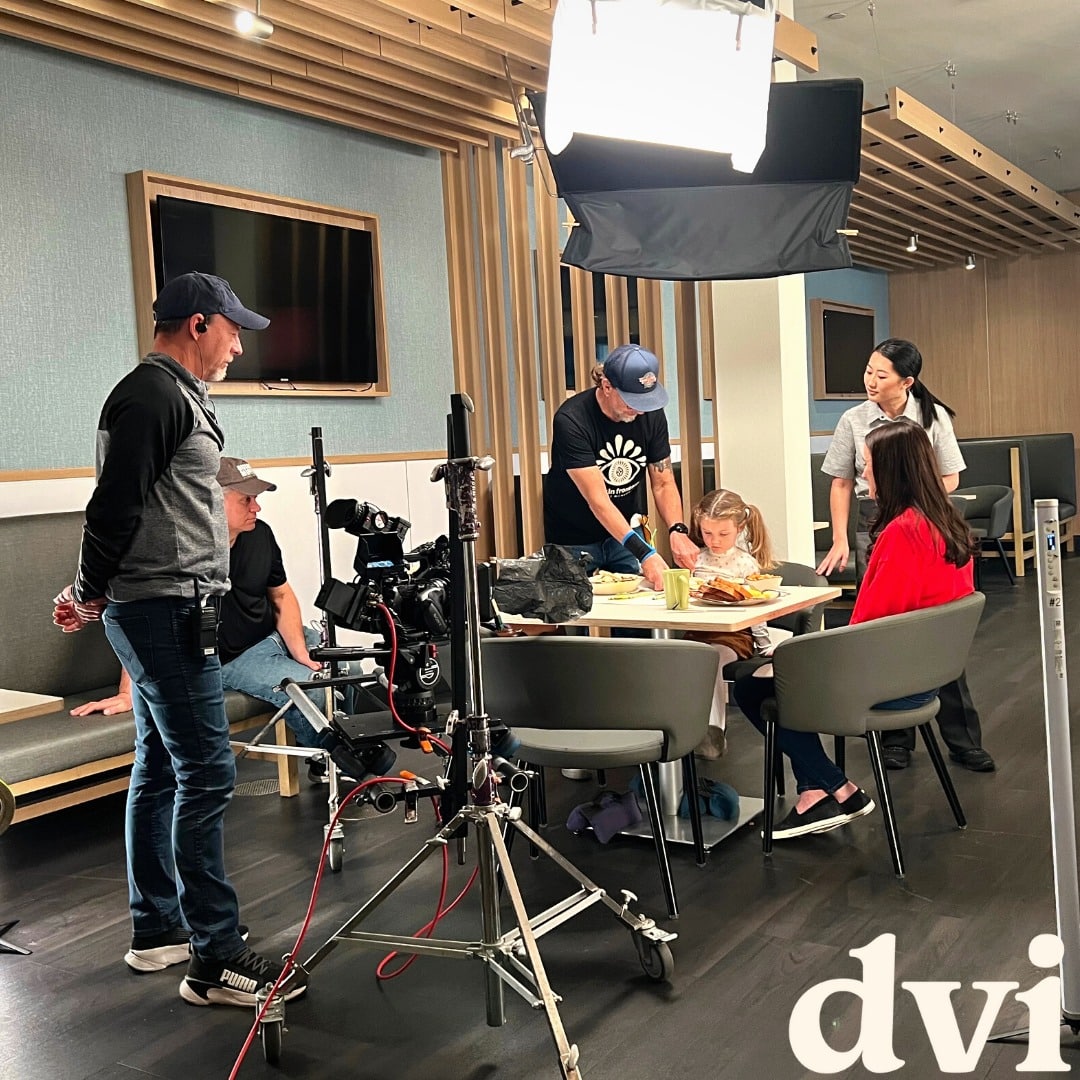
Behind the scenes of a video production shoot However, during this process, stay active. You’re likely the only connection between your creative team and the specifics of the trade show atmosphere, so your video partner will rely on you to convey details about usual attendees, activities, and networking opportunities.

Consider passing your creative team:

  • Specific plans for your booth
  • Product demonstrations
  • Customer interviews
  • How your team usually interacts with attendees

Ask for optimization for social media

After the trade show video production phase arrives at the post-production phase, it’s time to optimize your video for social media. Don’t make the mistake of investing in event video without gaining valuable content for social promotion. Instead, place a request early on for social formatting and additional edits of your video before final delivery.

One valuable strategy here can be requesting shorter teaser videos, also called cutdowns, to generate interest and drive traffic to your booth at the trade show. You can share your video on your social media channels and use relevant hashtags to increase visibility—both before and after the event.

Do another check for any course correction needs

During the post-production phase, you should communicate with your video production agency about the final edits and revisions needed to ensure that the video meets the objectives of the trade show or convention. You should also discuss the final format of the video, like whether it’ll be presented on a large screen or online, and whether additional editing or color correction is needed. Communication during this phase is crucial to ensure that the final product is high-quality, visually appealing, and effectively communicates the desired message to the audience.
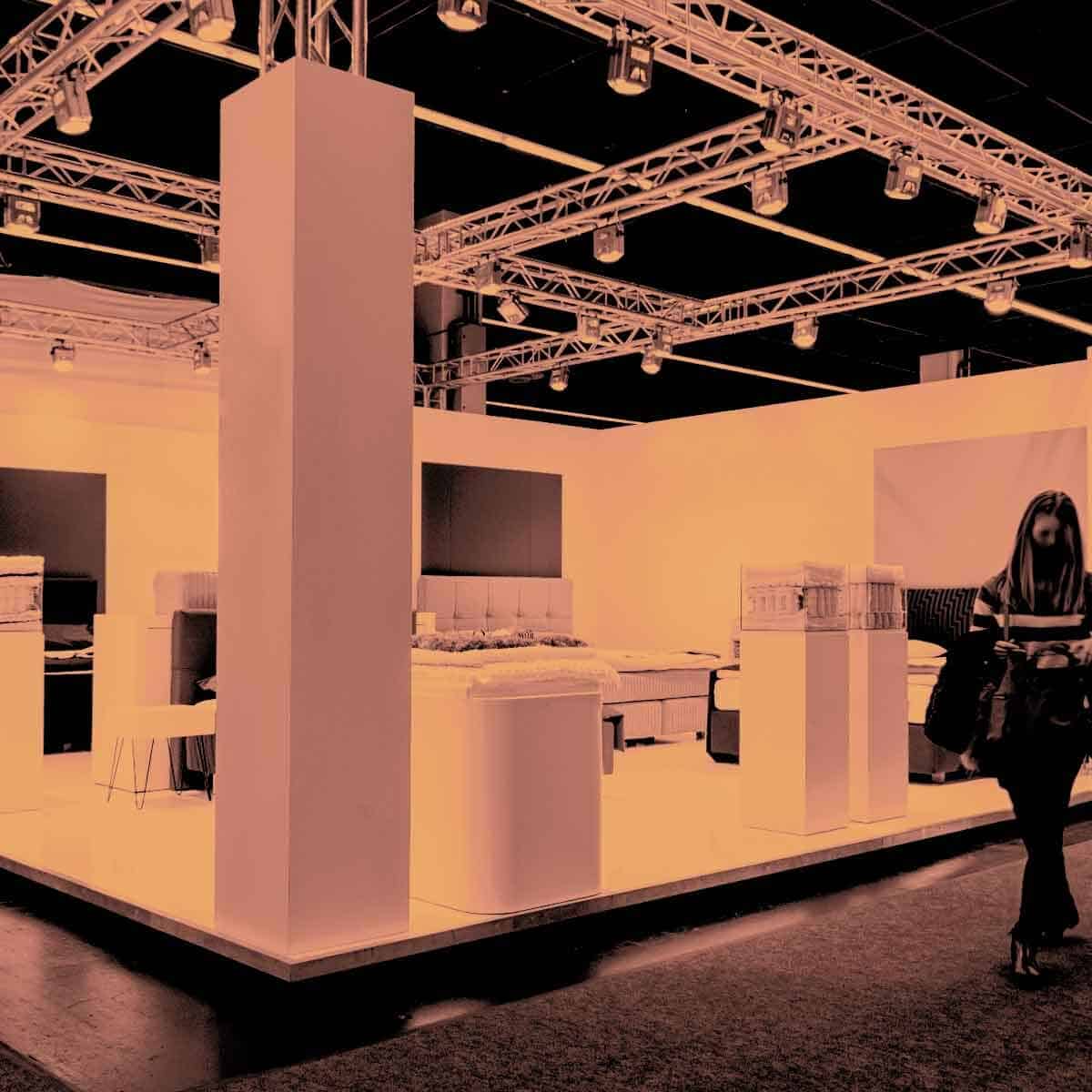
Maximize Trade Show Booth Visibility Maximize your booth visibility

In addition to using video to promote your business, it’s important to maximize your booth visibility at the trade show. Consider using interactive displays or demos to engage attendees and showcase your services, and use eye-catching graphics and signage to make your booth stand out from the crowd.

A tip for creating these additional pieces of creative: consistency is key. Make sure that the design of these graphics matches other visuals representing your company. Reach out to your creative partner to see if their video capabilities also include graphic design or product photography so you can add in creative content that matches the look and feel of your other visuals.

Train your team

Your trade show video and booth are only as effective as the team behind them. Ensure that your team is trained and ready to engage with attendees at the trade show—and make sure they’re all familiar with the content shared in visuals so they can answer any questions inspired by your videos. Provide them with the information and resources they need to answer questions and provide demonstrations effectively, and think about giving them a script or talking points to ensure that they stay on message.

Follow up with leads

After the trade show is over, it’s important to follow up with leads promptly. Use your trade show video as a conversation starter and reference point in your follow-up communications. Consider offering special promotions or discounts—most of which you could tease with video either before or during the event itself.

The Final Result

Going through trade show video production is an important investment for any business, and communicating effectively with your creative team during every point of the process is crucial for achieving a successful event video—or batch of videos.

By being clear about your objectives, planning thoroughly, providing feedback, and crafting both in-person and social media accompaniments to your video, you can ensure that your video effectively communicates a powerful message to event attendees.

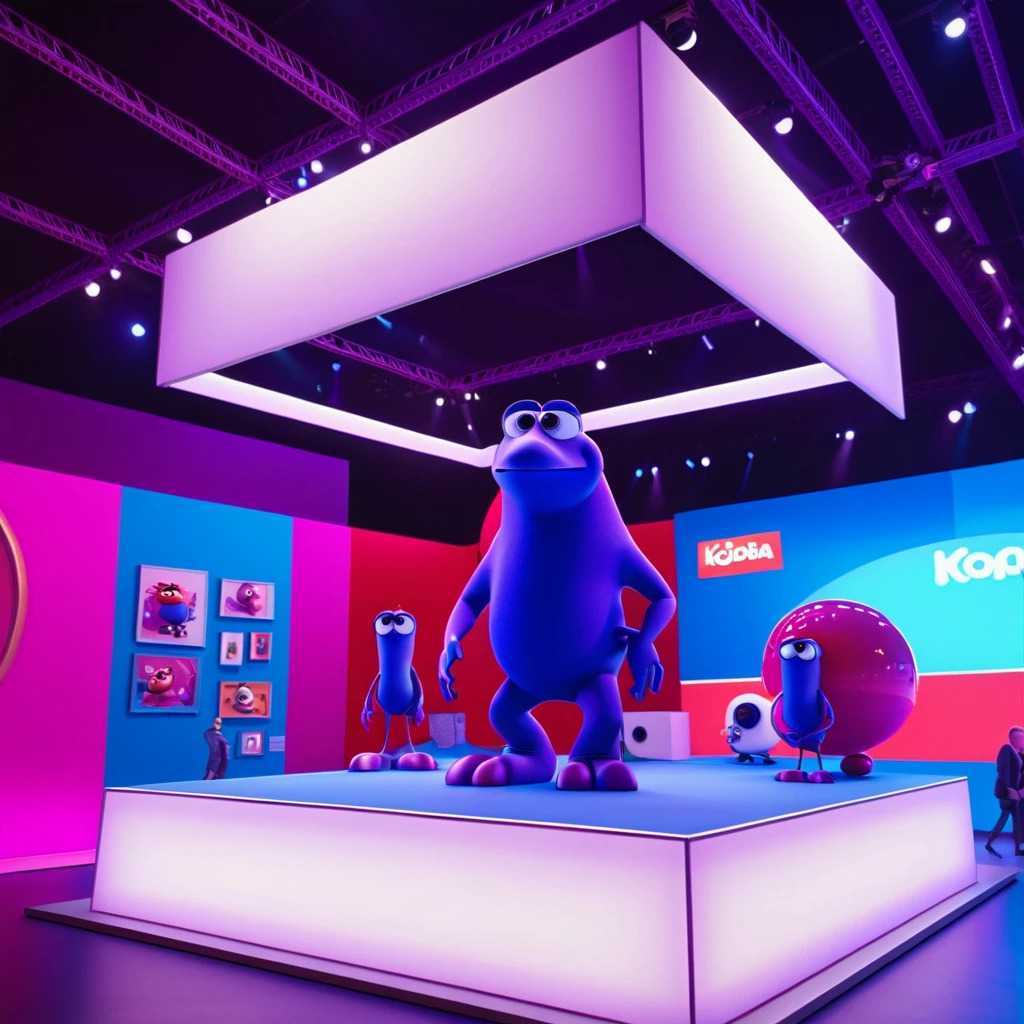
Branded videos

Examples of Branded videos:

Scroll to Top

Let's start!

Made once - used many times

This site is protected by reCAPTCHA and the Google Privacy Policy and Terms of Service apply.