



Motion Graphic

From classic Hollywood films to cutting-edge Instagram content, creatives have used motion graphics to tell stories for decades.

hen it comes to video creation, motion graphics is the ideal medium for bringing ideas to life and telling a story visually. From logos and animations to video intros and endings, motion graphics is everywhere. Maybe you’ve never heard of these expressions, but you certainly see animated graphics every day. You must have noticed that television commercials are getting shorter and less in the form of classic “film” commercials. Also you must have seen short videos that pop up on social networks. All of that is motion graphics.

Many companies are increasingly turning to animated, short ads, since such ads can be used on all media from television, social networks, general advertising on the Internet and mobile applications. There is no doubt that video content is the new king when it comes to internet marketing and intends to be so for a long time to come. Consumers demand more dynamic media and content from online businesses. Their attention spans and patience are shorter and they do not like long introductions, meaningless content and too much information all at once. This is why more companies than ever are investing in motion graphics as part of their marketing strategy.

In this post, we will go through the do’s and don’ts of motion graphics. We will explain exactly what motion graphics are and what is the difference between them and animation. So let’s start!

Blog o motion graphics: na slici je developer koji radi na laptopu animacije
Photo credit: Sarath P Raj on Unsplash

What is motion graphics?

Simply put, motion graphics is animated graphic design. It is visual content that is created by combining elements of design, animation and video. In other words, they are videos that contain graphic layers or a set of different images. They are often used for logos, intros and endings for shows, podcasts, YouTube videos and even the very popular GIFs. Alternatively, motion graphics can also refer to the process of designing moving graphics, used for product advertisements, explainer videos and other types of marketing materials. The process of making motion graphics starts with an idea for the client, followed by creating a script, finding and creating design elements such as logos and icons, followed by animation and video production.

Blog o motion graphicsu. Na slici je prikazana filmska klapa.
Photo credit: Jakob Owens on Unsplash

Motion Graphics vs. Animation

Motion graphics and animation are often confused with each other, but they shouldn’t be, since motion graphics is part of the overall umbrella term of animation. So, motion graphics is animated graphic design, and in addition to motion graphics, animation includes everything else that is a moving image, including cartoons and video games.
The biggest difference between motion graphics and other forms of animation is the fact that motion graphics has little or no storytelling aspect. It sticks to moving graphic elements and sometimes steps into storytelling for marketing purposes, but that can’t be compared to cartoon-like animation. Motion graphics is a much simpler form, focused exclusively on the visual aspect of graphic design.

Blog o motion graphics: Na slici je prikazan radni stol sa upaljenim monitorom i rukama čovjeka koji radi na njemu.
Photo credit: Daniel Korpai on Unsplash


Types of motion graphics

There are countless types of motion graphics. In fact, any graphic design element, such as typography, logos or icons, can become a type of motion graphics. Here we will touch on only some of the most popular ones.

A few of the most popular types of motion graphics are:

Logo animations

Logo animations are most often used as intros to videos or as cover photos on social networks and websites. This is a good way to present the logo itself, and with it the visual identity of the company and brand. With an interesting animation, clients will more easily remember the name and appearance of the company, and in that way strengthen the brand identity.

Animated GIF

GIF (graphics interchange format) is a digital file format that was created in 1987 as a way to reduce the size of images and short animations. GIF is one of the most popular forms of entertainment today, used to create funny memes or interesting marketing content.

Animated titles

Title sequences are commonly seen at the beginning of TV shows and movies. They are designed to grab the viewer’s attention and let them know what they are looking at.

Animated informative videos

Animated informative videos are used to visually explain products, services or even news. You must have come across such videos on social networks, and they belong to a more popular form of motion graphics design.


Why use motion graphics?

Motion graphics bring your brand to life in a way that other media cannot. Instead of just reading about your company and what you do, viewers can actually see and hear what you represent and sell. This is an extremely effective way to connect with your audience and to quickly create a sense of familiarity and recognition with people who may never have come into contact with you before, or strengthen that feeling with regular clients.

Also, it is a quick and very effective way to stand out and have your content seen by many people making it even easier for them to remember it. Advertising on social media platforms like Facebook and Instagram can be tricky. There’s only so much information you can cram into a short post, which means you can’t tell the whole story at once. With motion graphics, you can pack a lot of information in a short amount of time, making them the perfect solution for social media advertising.

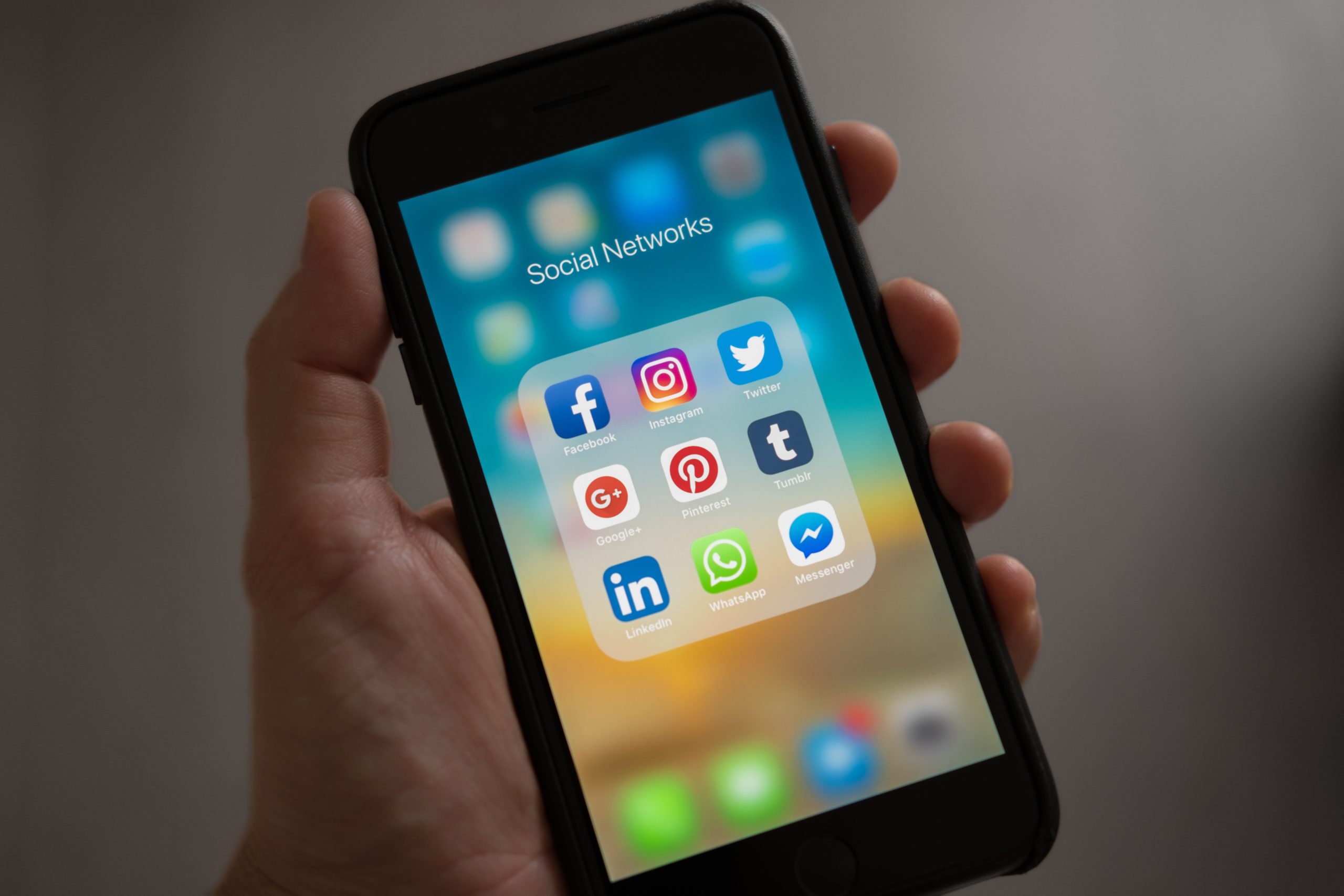
Blog o motion graphics: Na slici ruka drži mobilni uređaj sa otvorenim ekranom na kojemu su ikone najpoznatijih društvenih mreža.
Tracy le Blanc on Pexels


Conclusion

Motion graphics has arrived and is not leaving anytime soon. It is currently one of the most popular ways of advertising on digital media.
If you want to add dynamic visuals to your marketing strategy, consider investing in a motion graphics design service. This can be an extremely cost-effective way to add professional graphics to your video content and help you stand out from the crowd.

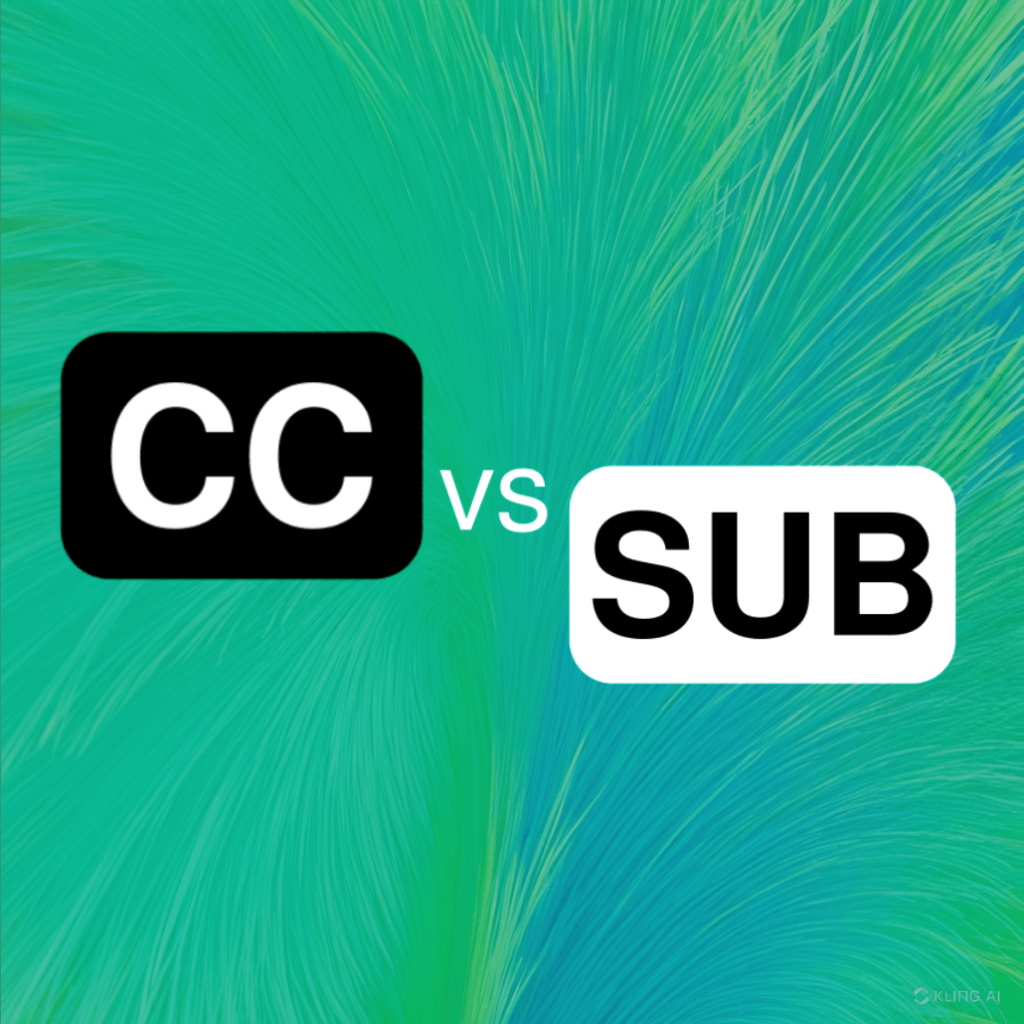
Typically captions are for the deaf and subtitles are translations. But the “caption” can also be a description of the image.

Closed Captions vs. Subtitles: What’s the Difference?

Many who don’t spend much time inside of the video editing or production space may not be aware of the difference between captions and subtitles.

In fact, even Netflix, a streaming company with some of the highest subtitles and closed captioning standards, groups them both under the heading of “subtitles.” This can make things even more confusing for someone who is trying to understand the “closed captions vs. subtitles” issue.
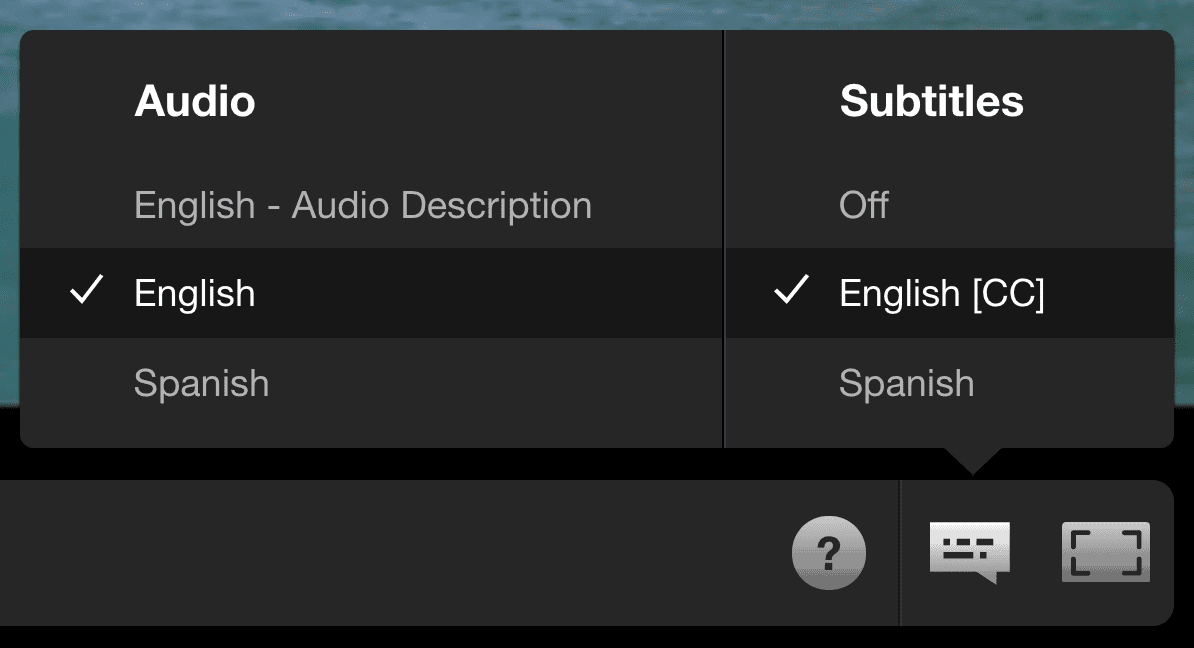
Netflix closed caption menu, which shows no difference between captions and subtitles.

Despite this seeming lack of difference between captions and subtitles (they do both appear as text at the bottom of your screen), they actually serve completely unique purposes, and have specific traits that distinguish them.

Captions are a transcription of dialogue and are primarily used to help viewers who cannot hear video audio. Meanwhile, subtitles provide a translation for viewers who don’t understand the language being spoken.

What’s the Difference Between Captions and Subtitles

So, apart from how they’re used – what are some other key differences between captions and subtitles? These can be determined by looking at their core characteristics:

Captions

  • Include background noises (such as atmospherics), speaker differentiation, and other relevant information, making content more accessible for individuals who are Deaf or hard of hearing.
  • Come in two forms, open or closed captions – closed captioning (usually denoted CC) can be turned off by the viewer with the click of a button, while open (also known as “burned-in”) captions are embedded into the video and cannot be turned off.

Subtitles

  • Unlike closed captions, subtitles assume viewers can hear the audio and are typically used when the viewer doesn’t speak the language in the video.
  • Typically used in movies when the language spoken in countries where the film is distributed is different from the language the film is shot in (e.g. for a French film screened in an English-speaking country).

You may also be wondering: are closed captions or subtitles more accurate?

The answer is – it depends. Since both convey different information, they are accurate in different ways. Closed captions will more closely convey what is going on on-screen, while subtitles will provide a more useful translation of dialogue in another language.

Additionally, the accuracy and quality of your captions/subtitles depends on how you create them – but we’ll talk about that later.

Why Use Closed Captions?

As mentioned, captions were designed with accessibility in mind, providing all of the audio information for a piece of video content in text form. In fact, in accordance with the Americans with Disabilities Act (ADA), all public multimedia, whether shown in the classroom or on late-night television, must be captioned by law in order to prevent discrimination. This means that if you’re publishing any kind of video content online, you may need to add closed captions to comply with these regulations.

However, alongside making your content more accessible, captions have a few other uses. They can help viewers follow the story or dialogue in a video when they can’t hear the sound (whether it be due to a hearing impairment or a sound-sensitive or noisy environment).

Captions also allow viewers to understand videos that show up on social media news feeds where the audio may automatically be silenced. They can therefore be a great addition if you’re trying to boost engagement or get your message across through short, viral clips.
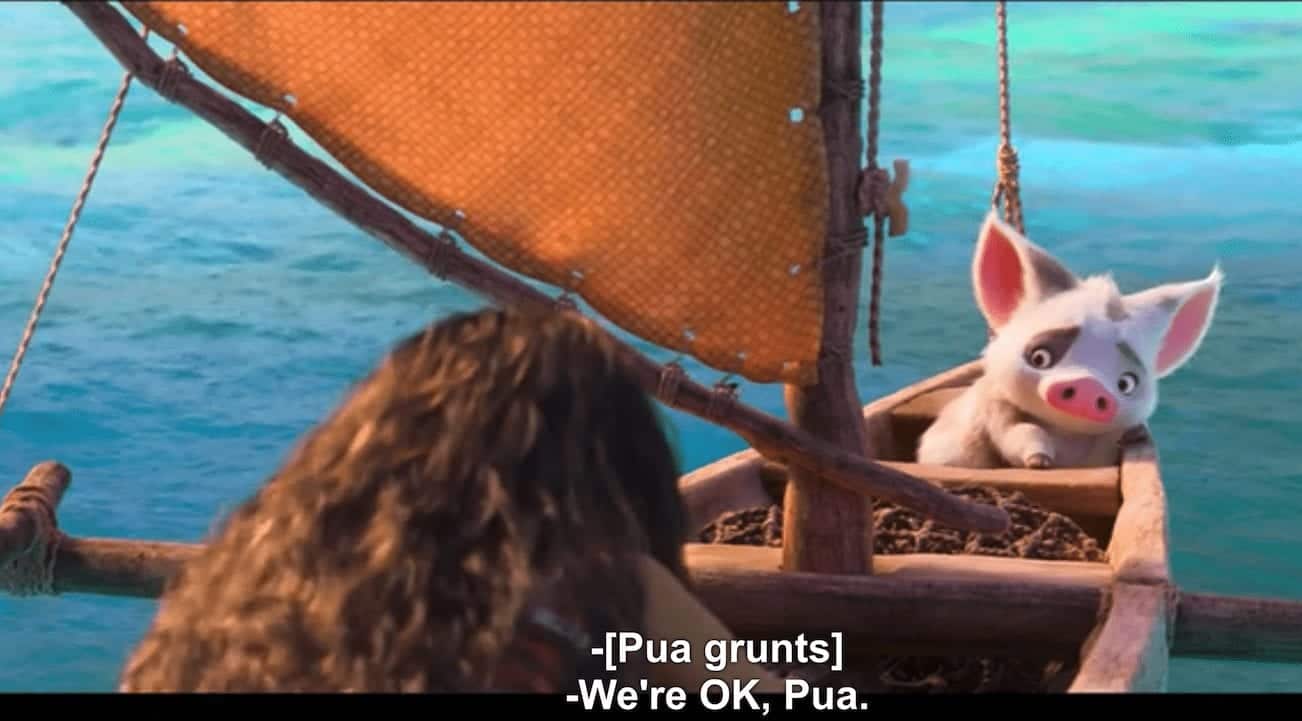
Example of closed captions over a scene in the movie Moana.

Why Use Subtitles?

America’s entertainment industry represents a third of the global market, but there’s also an uptick of people in the U.S. consuming internationally produced content. This means that more and more people will turn to subtitles as they consume content in a foreign language.

But again, subtitles aren’t only for aiding a viewer’s understanding of content in a foreign language. They also have proven benefits for those trying to learn another language, with research showing that as long as videos with subtitles match the proficiency of the language learners, they are a useful tool for improving comprehension.

In terms of daily use, subtitles are ideal if you want your content to spread internationally or if you operate in international markets. Adding subtitle options in multiple languages, like Spanish, will allow your content to be understood in many different countries.
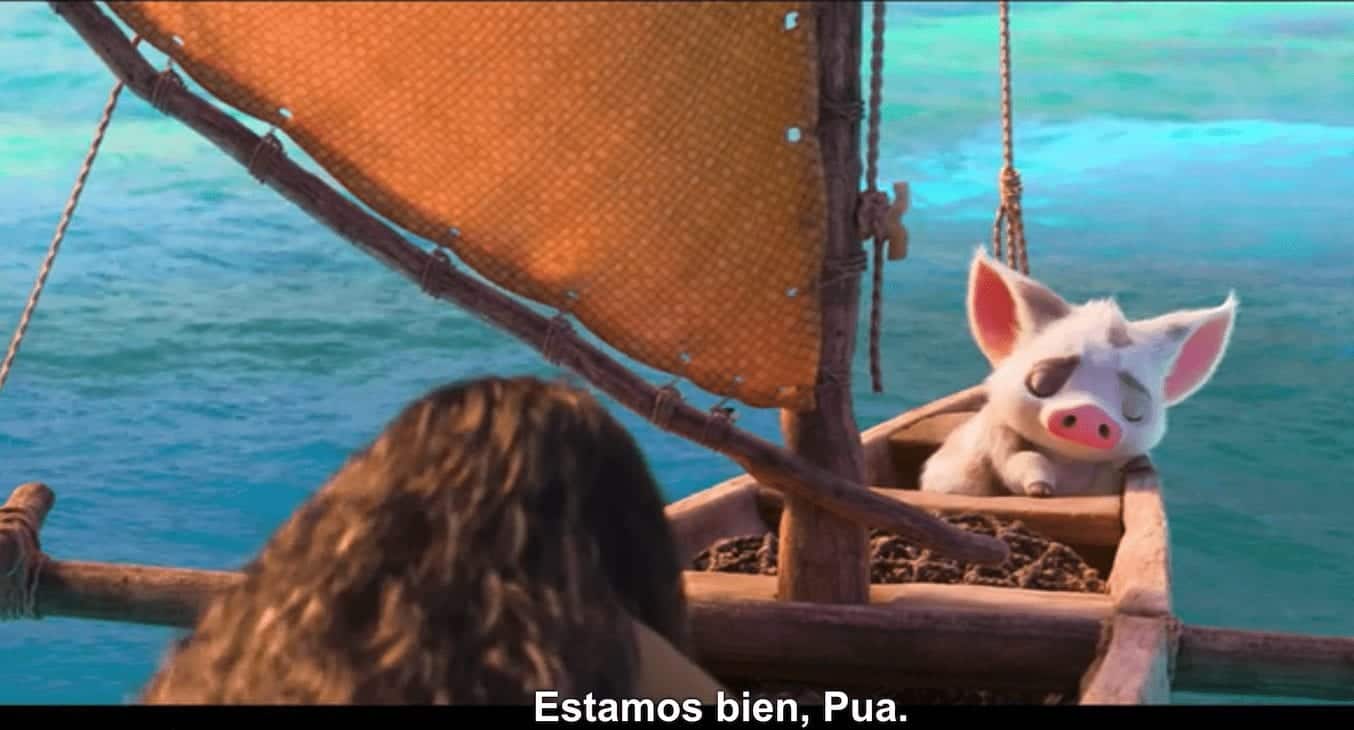
Example of Spanish subtitles over a scene in the movie Moana.

Closed Captions vs. Subtitles: Which Is Better?

When it comes to closed captions vs. subtitles, and deciding which to use, it’s all a matter of purpose.

Since the difference between captions and subtitles is significant, and both have their specific benefits and uses, your choice will depend on your reason for adding them to your content. If you want to boost the accessibility of your videos, captions are the way to go. Alternatively, when it comes to sharing content across different domains and markets, subtitles will help non-native speakers understand your videos.

Either way, adding subtitles or captions to your videos is a simple process that packs benefits for all viewers, not just those who speak another language or have difficulty hearing. In fact, more than 80% of people who watch videos with captions turned on do so out of preference rather than necessity.

Want Captions or Subtitles Added Directly to Your Videos?

Rev’s captioning and subtitling services make the process easy. Just upload your video files and we’ll do the rest.

Rev also offers burned-in captions (open captions). To add this to your caption file, just check the “burned-in captions” box at checkout and you’ll receive a video with permanent, hard-coded captions added straight to your videos. Foreign language subtitles can also be burned-in!

Motion Graphic
Motion Graphic

Examples of Motion Graphic:

Scroll to Top

Let's start!

Made once - used many times

This site is protected by reCAPTCHA and the Google Privacy Policy and Terms of Service apply.