

When you hear the word “animation,” you might think of cartoons or video games. In reality, animation is all around us—especially in the apps and websites we use.
From scrolling down a screen to getting a notification, not only does animation guide your users as they navigate through the site—it’s also vital for storytelling and creating a brand narrative. In short, animation provides a ‘living’ element to something that would otherwise be static.
If you’re a UI designer looking to add more skills to your arsenal, consider this blog post your official introduction to the exciting, innovative world of UI animation. We’ll guide you through the basic principles, the tools you should have on your radar, and how to get started. By the end of this article, you’ll be well on your way to creating awesome animations that will take your interfaces to the next level.
1. What is UI animation?
UI animation is the process of adding motion to UI elements in order to enhance a product’s interactivity. UX and UI designers use animation to guide them around the interface, alert users of a change, influence users’ decisions, and indicate a relationship between elements—among other uses. UI animation also reduces the mechanical feel of a website or app, creating a much more natural and intuitive experience.
In the infant stages of the digital age, it was commonplace for designers to overload their interfaces with animated gifts and bright, flashing colors. But as we began to learn more about the psychology behind how users interact with digital interfaces, it became clear that excessive use of decorative animation detracted from the quality of the site—and even resulted in a loss of users.
Over time, designers opened their eyes to the functional benefits of animation, taking it from a decorative add-on to something that could enhance the user experience. A turning point in the evolution of UI animation was the switch from linear movement to interactions that mimic real-world properties, like speed, gravity, and weight. This progression led to the realistic UI animations that we have today.
In UI design, animation can be functional or decorative. Functional animation guides and informs the user in real-time, whereas decorative animation is an essential storytelling and branding tool.
Animation vs. motion graphics
If you’re new to the world of UI animation, you’re probably wondering what the difference is between animation and motion graphics. A quick Google search will show you that these terms are often used interchangeably, so what’s the distinction?
Animation is an umbrella term for the practice of adding motion to imagery. While it’s a part of UX/UI design, it also encompasses other fields—such as film, gaming, and VR. Motion graphics, on the other hand, refers to the process of adding motion to graphic design elements. Put simply, motion graphics are a type of animation. Unlike other types of animation, motion graphics tend to place less emphasis on storytelling.
2. Why is UI animation important?
With the number of websites and apps increasing ten-fold every day, users have come to expect powerful, functional, and unique interfaces that are easy to navigate. Today’s digital products have to be human-centered, intuitive, and responsive. One of the ways that designers achieve all of the above (and more) is with animation.
Animation adds a vital human touch to digital interfaces by simulating the experience of interacting with a physical object in real life. This makes for an easier, more natural experience for the user, and reduces cognitive load. From point A to B, UI animations act as signposts—oftentimes so subtle that you wouldn’t even know they were there. Animation also reduces stress by providing real-time updates and feedback, keeping the user informed at all times.
From another perspective, animation can make an interface fun and engaging. Having a visually appealing interface is vital, and including just the right amount of animation could set you apart from the crowd. Think of animation like a spice rack, and your digital product as a stew. Adding only one spice could mean the stew will taste bland and uninviting. On the other hand, overloading your stew with too many different spices could give your stew an overwhelming and confusing flavor. You have to learn how to add just the right amount of spice to make the stew delicious and nourishing.
3. What are the different kinds of UI animation?
While many designers have their own ways of categorizing animations, the most common UI animation types tend to fall into these four groups:
- Micro-interactions
- Loading and progress
- Navigation
- Storytelling and branding
Let’s look at these a little more closely.
Micro-interactions
Micro-animations are perhaps the most commonly used type of UI animation. They inform users when an action is successfully completed, or when an operation is unsuccessful, essentially helping users to visualize the result of each action. Pressing a button, moving a toggle, scrolling down a page, or getting a ‘silent’ icon when you switch your phone on silent—these are all examples of micro-animations. Like so many elements of good UI, micro-interactions go largely unnoticed—but their importance becomes clear when something goes wrong.
Loading and progress
Loading and progress animations help to keep users informed by demonstrating the process of completing an action, or letting them know how long it will be until the action is completed. No one likes waiting for something to load, especially without an understanding of how long they’ll be waiting for. Progress bars, timelines, and pull-down-to-refresh functions eliminate stress and reinforce the sense that the user is moving forward.
Navigation
Navigational animations guide the user through the interface. The more complex or comprehensive a website is, the more crucial navigational animations are in making the website intuitive.
By offering prompts such as arrows, hover animations, or swipeable layout elements, the visual hierarchy becomes clearer, and the user can feel confident in where to go next.
Storytelling and branding
Often found on welcome screens, decorative animations are a fantastic way to strengthen the brand identity and tell a story in a matter of seconds.
Animation can be used to attract users to certain brand elements, and for showcasing a product in a fun and engaging way. A classic example of storytelling and branding animation would be an animated logo that instantly lets people know what kind of brand you are.
4. UI animation principles
In 1981, Disney animators Ollie Johnston and Frank Thomas produced their book The Illusion of Life, which outlines 12 core principles of animation.
While these principles were intended for film and cartoon use, they’ve since become an invaluable resource for UX and UI designers—providing a useful framework for introducing functional, comprehensive animations into digital interfaces.
Let’s dive into what they are.
1. Squash and stretch
Some objects, depending on their composition, can change shape as they come into contact with other objects—squashing and stretching as they interact with the world around them.
For example, when a ball hits the ground, its mass, weight, and center of gravity don’t change, but its shape may contort.
In UI design, squash and stretch can be related to buttons; when you press a button, it goes into a “squashed state.” This concept means we can assign interactive characters to any UI element—allowing them to change state as a result of certain actions.
2. Anticipation
Anticipation refers to the preceding of an upcoming action, or in other words, micro-animations that lead up to bigger actions.
A great example of anticipation is hover-states. If you hover on a button and it turns a different color, it’s an anticipation that something will happen when you click on the button.
3. Staging
Staging, as you might have guessed, refers to setting the stage for an action. It’s a way of influencing the user to press a certain button or fulfil a certain action by “staging” and organizing the elements in a specific way.
For example, if you add a ‘you might like these’ feature on the checkout page of an e-commerce site, you may add an ‘add to cart’ button that sits apart from the other elements—making it the obvious button to press.
4. Follow through and overlapping action
Think about a cat getting ready to pounce on a mouse. Before it even jumps, its ears might be the first to move—followed by its front legs to offset it from the ground, and finally the hind legs once the momentum has built up.
Even when it’s landed, parts of the cat’s body might still be in motion—with overlapping movements happening all at once. Mimicking this, UI elements can be made to move at different speeds or even overshot their action before coming to a resting position. The subtle difference in speed and acceleration of each element makes the page feel more natural.
5. Easing
Easing, also known as slow in and out, refers to the slow, gradual movement of UI elements.
If you think about objects in real life, they don’t move abruptly—and neither should UI elements. A slight fade-in of an image is a lot more natural and comforting than having it appear out of nowhere.
6. Arcs
In real life, things rarely move in straight lines, but rather in curves or arcs.
While interfaces are commonly designed on grids, arcs can be used to highlight an element’s path when creating responsive designs. For example, when switching from desktop to mobile, a button might collapse into a ball with a curved motion—rather than a straight line.
7. Secondary action
Secondary actions are actions that support and enhance primary actions, such as shoelaces moving up and down while a character walks in a cartoon. Most micro-animations can be classed as secondary actions, such as a button ‘pulsing’ once it’s been pressed.
8. Timing
Timing refers to the order in which UI elements are animated, as well as the sequence they follow.
Depending on the function of the element, the time it takes to move has a direct influence on the mood and character of the interface. Animations that move too slowly may frustrate users, whereas animations that move too quickly may cause them to miss something important. Timing is perhaps one of the most important principles on this list, as it impacts and influences the users’ focus.
9. Exaggeration
In a user interface, some animations can be exaggerated to grab the users’ attention and add a stylized element to the page. Where the other principles on this list mimic the realism of actual objects, exaggeration is a chance to get creative.
10. Appeal
Even micro-animations need to be appealing to the user in order for them to serve their purpose. Adding charm to your animations with color is a sure-fire way to make even the most undetectable animation appealing.
11 & 12. Solid drawing & straight-ahead vs. pose-to-pose
These are the two slightly less relevant principles for UI animation. Solid drawing refers to 3-dimensional animation.
When treating the third dimension as an oversight, the symmetry of 2-dimensional animation can dispel the illusion of a 3-dimensional object. This is why it often comes as a shock to see cartoon characters face-on.
The straight-ahead vs. pose-to-pose principle refers to the difference between starting an animation with a pose and creating subsequent frames, and filling in frames between key poses.
In addition to those key principles we’ve just outlined, it’s also worth getting familiar with these animation guidelines for UX and UI designers; they’ll help you make sure your animations are enhancing the user experience, not detracting from it!
5. Animation tools for UI designers
So, what do UI designers actually use to create these awesome, functional animations? Luckily, there’s no shortage of comprehensive UI animation tools and software currently available. Here’s a roundup of the three most popular UI animation tools for beginners:
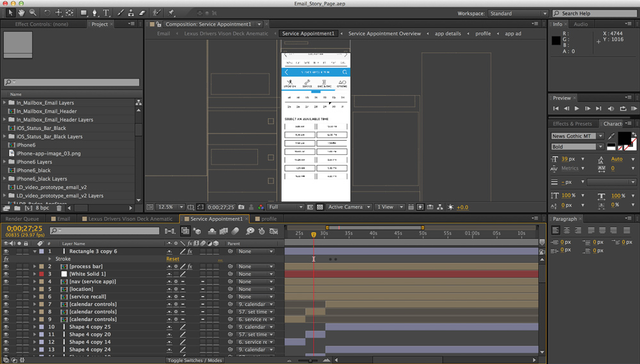
Adobe After Effects
Adobe After Effects is one of the most popular UI animation tools around—and arguably the most powerful. Hailed as the industry-standard animation tool and visual effects software, After Effects has hundreds of effects to help you achieve your desired look.
From animated logos to motion graphics, anything is possible with this software—you can even add sound. The best part? It works seamlessly with other Adobe tools such as Adobe Portfolio, and Adobe Fonts.
Motion.UI
Motion UI is the new kid on the block of UI animation tools. With Motion UI, you can create animations quickly and easily with over 20 pre-made animations and transitions—or, of course, you have the option of creating your own from scratch. It also provides the code tutorial for the animations, making prototyping a breeze.
Flinto
Prototyping and animation tool Flinto is great for creating quick, interactive, transition-based animations for apps and websites.
Integrated with both Sketch and Figma, it’s a great tool for beginners—and also offers useful previews so you can gauge how your animations will look for the end user early on in their creation.
6. How do I learn UI design animation?
Animation in UI design is increasingly going from a ‘nice to have’ to something users expect—and as a result, the demand for more sophisticated UI animation is skyrocketing. If you’re already a UI designer, you might be feeling like UI animation is the next step in your career—but with so much information out there, it’s easy to feel overwhelmed. So how do you actually get started? What are the key skills you need to work in animation design?
Before you jump head-first into buying expensive tools and signing up for pricey courses, a great way to find your feet is by getting inspired. There’s no shortage of creative UI design websites, Instagram accounts, and portfolio sites such as Behance or Dribbble to fuel your creativity, and you’ll no doubt get excited by the endless possibilities that UI animation skills can bring you!
Once you’ve familiarized yourself with the field, you can get stuck in with some online tutorials. There’s also a wealth of affordable short courses available that will help you get to grips with the relevant tools, and put some of the aforementioned design principles into practice. We’ve rounded up some of the best animation tutorials for beginners in this post.

7. Final thoughts
So there we have it: everything you need to know to get started in UI animation. While it’s easy to get carried away by UI animation’s enticing creative possibilities, keep in mind that successfully incorporating animation into a user interface ultimately hinges on usability.
It’s down to the UI designer to carefully consider the value of each animation—no matter how subtle, or eye-catching—and what it means for the end-user. Animation is one of the most effective tools for user interaction, and it’s not to be taken lightly. Do it well, though, and you’ll have a unique, engaging digital product that delights users and stakeholders alike. If you’re curious about what a typical day in the life of an animation designer might look like, check out this post.

