
Until there’s better support for animated PNGs, CSS animation, and video in email, animated gifs will remain the safest and easiest way to add motion to your campaigns. Once you’ve created an animated gif for an email, you can reuse it in social media and other digital marketing campaigns. We use them regularly with both our B2C and B2B clients to great success.
Animated gifs are effective for:
- Video previews
- Highlighting product options, such as different colors, patterns, sizes, or configurations
- Displaying an assortment of products
- Product demonstrations or service instructions, whether it’s showing how a dress flows or how a backhoe can remove a boulder
- Reveals, including before-and-afters and price/discount reveals
- Mobile app and software demonstrations or navigation instructions
- Conveying urgency (think: countdown clocks)
- Drawing attention to calls-to-action
- Atmospheric feel (think: fireworks, rain, falling snow)
- Humor
However, there are some concerns you should be aware of when using animated gifs. Let’s talk about those.
Keep Animated Gif Files from Getting Too Big
Animated gifs are essentially multiple images bundled up together in a single file. That means file sizes can get huge in a hurry if you’re not careful. That can make your email or the image slow to load. However, it can be tricky to know where to draw the line on image file sizes, says Nick Cantu, Senior Art Director for Creative Services at Oracle Digital Experience Agency.
“The best practice is to keep all email image sizes at less than 800 KB total. But lately, we’re seeing emails average in the 2-3 MB range—with some brands far exceeding that!” he says. “We recommend monitoring emails with heavier image totals to see if there’s any performance loss. But when it comes to a single animated gif, the ideal is to get the file size as small as possible without losing quality.”
If you need to reduce the file size of your animated gif, then consider…
Limit the number of frames. In emails, animated gifs are almost never video-quality. That’s not the expectation that email subscribers have. So, if you have a more complex animation that you’re adapting to email, or your animation is simply too big, then delete some frames from the animation, says Cathie Richter, Designer in Creative Services at Oracle Digital Experience Agency.
“Reduce the size by deleting every second or third frame from the timeline,” she says. “Once this is done, adjust the time on the remaining frames to compensate for the deleted frames.”
Limit the number of colors. The more complex your image’s color palette, the bigger the file size. So, limiting it can trim the size of your animation. But, this approach is only advised in special situations, says Veronica Presley, Senior Designer for Creative Services at Oracle Digital Experience Agency.
“This can work great on illustrations and other graphic elements,” she says. “Photographic elements will quickly degrade when colors are limited. This doesn’t mean that it can’t work for some photos, but it’s generally best to use as many colors as possible while managing file size.”
Compress the file. While there are a number of file compression apps and tools out there, those probably won’t yield the best results, says Cantu.
“I prefer adjusting the settings in Photoshop’s ‘save for web’ panel, playing with the colors, frames, dither, lossy, and other options,” he says. “This allows you to compare multiple versions side by side until you are comfortable with the balance of quality vs. file size.”
Use a cinemagraph. Rather than animating an entire image, a cinemagraph animates just a portion of an image—such as just the exploding fireworks in the sky of a landscape, just the ruffling of a woman’s dress in a city street scene, or, just the screen of a smartphone as a couple hover over it.
“Cinemagraphs are popular, eye-catching, and a smart way to add animation,” says Cantu. “Because the majority of the image is still and only a small portion is animated, it usually results in much smaller image sizes.”
Decrease the image dimensions. If all else fails and the file size of your animated gif is still too large after considering all of the tactics above, then decrease the dimensions of the image.
Looking into the future, the good news when it comes to file size concerns is that the rollout of 5G wireless networks, which offer speeds 10 times faster than 4G networks. This will alleviate file size issues for all kinds of digital marketing campaigns as more consumers will buy 5G phones and service plans over the next 3 to 5 years. Marketers will still need to be mindful of the data demands of their campaigns, but load times will become somewhat of a non-issue, especially for consumers in urban and suburban areas where 5G service is likely to be the most widespread.
Focus on Above-the-Fold Placements
Because animated gifs take more work to create, ensure that you’re getting the maximum impact from them by creating ones that you can place above the fold in your campaigns. This way, they can be seen without the subscriber having to scroll. This helps grab your subscribers’ attention as they flip through emails in their inbox.
“This is a major piece of direction we provide clients,” says Cantu. “Be strategic with the placement of your animated gifs. Larger gifs should be used within primary sections. As you go lower in the campaign, animations should decrease proportionally in size.”
Animations are best used in secondary and tertiary content blocks when a message is on the longer side, says Presley.
“Small animations further down in longer campaigns,” she says, “can keep the surprise and delight factor going, providing additional visual interest and motivation to keep scrolling.”
Recognize that Animation Can Distract
Thoughtless and frivolous uses of animated gifs can actually hurt the performance of your campaign. This happens most often when animation is added for animation’s sake, rather than used strategically to convey or support the message and to lead the recipient’s eyes to key content and calls-to-actions.
Marketers increase the danger of animation distracting when they use two or more animations close enough to each other that they’re likely to appear in the same viewing pane. Now the viewer really doesn’t know where to look, and may skip all the content in between the two animations.
“That last thing you want is for your campaign to look like Times Square with a million messages vying for your attention,” says Presley. “It should be more like fireflies in a field, gently leading your eye from one to the next.”
Cantu adds that he’s been a fan of background images lately. “Think lights flickering softly or snow falling in the background,” he says. “Simple elements like those add interest to a campaign, but also keep the focus on the main message. As a bonus, simple elements like this usually use fewer colors, which results in smaller file sizes.”
If You’re Promoting Video, Use Animation
While email marketers have been wishing for good, broad-based support for video in email for over a decade, it still doesn’t appear to be on the horizon. In the meantime, animation is a great—well, acceptable—substitute. Just bundle a few frames from the video into an animated gif, put a play triangle in the middle of it to create a strong call to action, and link it to the landing page with your video.
Support for Animated Gifs Isn’t Quite Universal in Email
While support for animated gifs is way better than it is for animated PNGs and CSS animation, it’s not quite universal yet. Animated gifs are supported in every major email client…except older versions of Outlook desktop—namely, Outlook 2007, 2010, and 2013. While those email clients are losing market share every day and support for Outlook 2007 and 2010 have already been sunsetted, B2B marketers should be mindful of the lack of animated gif support, since their subscribers are the most likely to use Outlook desktop.
In those cases where animated gifs aren’t supported, the first frame of the animation is displayed as a still. B2B marketers should design their animations with this in mind.
“This is especially important to consider if your animation includes a message that builds on itself,” says Presley. “For example, if the animation adds one word of a headline per frame, you’ll need to make sure the first frame includes the full headline to avoid some of your subscribers misunderstanding the message completely.”
A final consideration is whether animated gifs are appropriate for your brand at all. The short answer is yes. Regardless of your industry or your audience, every brand should consider using animation in your campaigns, at least occasionally.
That said, some brands will find that animation is a much more frequently used tool in their toolbox because of their brand voice and their audience, says Cantu.
“Brands with younger audiences that live in the world of TikTok find that having extra animation and movement performs really well in their messages,” he says. “For other brands, you need to be selective and test to find the right balance and use cases for your subscribers.”
What is a GIF and how to use it in social media
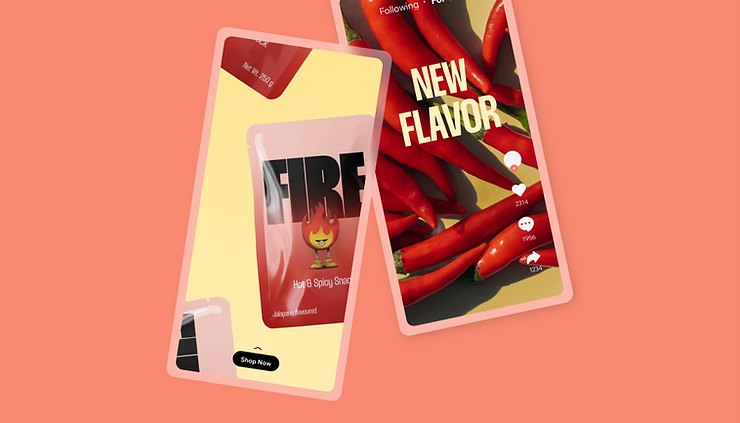
GIFs are often the default tool of web humor, alongside memes and viral videos. Once considered juvenile and unprofessional, GIFs are now a fully accepted – and often essential – tool of social media and marketing strategies. Furthermore, they are immediately eye-catching and easily shareable across multiple social networks.
Whether you’re already a social media influencer or are simply looking to animate your profiles’ personality, animated GIFs can add value to your brand and show off your character. This guide will teach you everything you need to know about GIFs and how to use them effectively on social media.
Complete your online presence when you create a website.
What is a GIF?
A GIF (Graphical Interchange Format) is an image format invented in 1987 by Steve Wilhite, an American computer scientist who was looking for a way to animate images in the smallest file size. In short, GIFs are a series of images or soundless videos that will loop continuously and doesn’t require anyone to press play. This repetition makes GIFs feel immediately familiar, like the beat of a song.
How do you pronounce GIF? This has been a topic of debate for many years. Is it pronounced with a hard G (as in the word “gift”) or a soft G (as in the word “jiffy”)? Steve Wilhite (the creator of the GIF) said that he intended the word to be pronounced with a soft G. But by the time he made his declaration, the hard G pronunciation was also widely accepted. Ultimately, the pronunciation of GIF is a matter of personal preference – the Oxford English Dictionary accepts both pronunciations of GIF.

What’s the difference between memes and GIFs?
Memes and GIFs are both types of digital media that can be used to express ideas and emotions. However, there are some key differences between the two formats.
- While memes can also be videos, they are typically text-based. In contrast, GIFs are always image-based.
- Memes are usually used to express humor or to share cultural references, while GIFs are used for a variety of purposes, including humor, communication and marketing.
- Memes are more likely to be shared on social media, while GIFs are more likely to be embedded when creating a website or blog posts.
Why are GIFs popular?
The popularity of GIFs has surged in recent years thanks to the rise of social media, messaging apps and meme culture. They are a great way to add humor and visual interest to your communication, and a well-chosen GIF will help you transmit much more than a text message or even a static emoji.
Here are some additional reasons why GIFs are popular:
- They are more expressive. A GIF can capture a moment in time, but it can also convey emotion and movement. This makes them a more powerful tool for communication than still images.
- They are more shareable. GIFs are smaller and easier to load than videos, which makes them more likely to be shared on social media and other platforms.
- They are more versatile. You can use GIFs for a wider range of purposes than memes, from expressing your emotions to sharing reactions and telling stories.
- They are fun to use. Aside from using GIFs to communicate a wide range of emotions, from humor to sadness to anger, you can also share cultural references and just generally add a touch of personality to your online interactions.
How to use GIFs?
Using GIFs is a fun and easy way to add personality and humor to your digital communication. Here’s a breakdown of how to use them effectively:
- Messaging: Add GIFs to enhance your texts, emails or direct messages. Most messaging platforms allow direct GIF insertion or searching via keyboard shortcuts.
- Social media: Share GIFs on your timelines or comments to make your posts more engaging and interactive.
- Presentations and documents: Slide decks and even reports can benefit from well-placed GIFs to break up text and add visual interest.
- Websites and blogs: Embed GIFs on your website or blog to highlight specific sections or inject humor into your content.
Who is using GIFs on social media?
GIFs used to be popular only on sites like Tumblr, Buzzfeed and Reddit, but most online platforms have since jumped on the bandwagon.
In July 2015, Facebook introduced a GIF search engine to Messenger, while a similar search engine was rolled out to Twitter in February 2016. In the following year, over 100 million GIFs were shared across Twitter alone. Taking this into consideration, it’s time to start taking this image format seriously as an effective social media marketing tool.
In the past, using GIFs in corporate communication might have been considered unprofessional. However, the prevalence of remote work has changed the way we communicate in the workplace. With fewer opportunities for face-to-face interaction, sending GIFs on apps like Slack has become a popular way to connect with coworkers, translate tone and nuance and add your personality to the conversation.
Why should I use GIFs on social media?
Brands who share authentic and engaging content can create a close relationship with their audience, and the right GIF can be the perfect way to make this connection. The short, looping aspect of this format provides a perfect snack for the attention span of today’s consumers. The average file is 2-5 seconds in length, which makes them perfect for grabbing the eight-seconds of attention you are given, as your followers scroll through their social feeds.
How else can GIFs add value to your business?
- Increased engagement: GIFs are a great way to increase engagement with your audience. They are more likely to be noticed and shared than static images, and they can help to break up the monotony of text-based content.
- Improved brand awareness: You can use GIFs to make your brand more memorable and relatable. Use them to showcase your products or services in a fun and engaging way.
- Improved customer service: Improve your customer service by providing quick and easy answers to common questions with GIFs. You can even use them to apologize for minor errors or to thank customers for their business.

How to use GIFs on social media?
These animated wonders bring a dose of youthful entertainment to your social media presence. GIFs will not only keep your audience engaged, but they’ll also keep your brand from appearing too serious. Whether your goal is to build brand awareness, develop a brand personality or create more viral content, here are a few tips on how to use GIFS on social media:
Show off your products
GIFs are a great way to show off your products in a visually appealing and engaging way. Because they’re dynamic, you can highlight the features of your product in action and show off details that static photos can’t capture. You can also demonstrate how to use your product, especially if it’s difficult to use.
Gamify your posts
One way to use GIFs to increase your social media engagement is through gamification, which is to apply game-like elements to non-game contexts. By making your audience feel as though they are participating in a game rather than a regular social media post, you’ll make it fun for someone to respond or participate.
You can gamify your posts by creating interactive GIFs with buttons or prompts, or through challenges for your audience. For instance, you could create a GIF that shows a series of steps that your audience has to follow to complete a contest. To make this even more fun, reward winners with something, like a coupon or a badge. This will encourage your audience to interact more on your posts and participate in future challenges.

Provide visual instructions
GIFs are a great way to instruct your audience in how-to’s, step-by-step tutorials or recipes. Since they loop, your audience can watch as many times as they need to fully understand each of the steps to follow.
Go viral with relatable content
GIFs are easy to relate to, which also translates to shareability on social media. Every social network now prioritizes visual content in the news feed, so people are more likely to notice your content and share it.
As an example, if you’re a travel brand, you could share a GIF of a funny or relatable travel experience. This could range from getting lost in a foreign city to trying to communicate with someone who doesn’t speak their language. The relatability and humor of these kinds of GIFs can help your content go viral and reach a wider audience.
Animate your data
Animating your data is a great way to make your data more digestible and visually appealing. Make use of GIFs to add some color and motion to normally-dull statistics.
If you want to show how your data has changed over time, you could post a GIF of a line graph that shows the growth of your company’s sales, or a pie chart that shows the breakdown of your customer demographics.
Provide a sneak peek
Want to build excitement for a future product or an upcoming announcement? GIFs are perfect for a bite-sized teaser. For example, you can create a GIF of the product you are about to launch, moving from a close-up on one of its features to someone using it for the first time.
Share content that makes you smile
GIFs, much like other social posts, don’t always have to be about conversion or sales. We suggest you share some cool stuff sometimes just to entertain your audience. This is a good practice to stay connected with your visitors and boost engagement.
Reply to your followers
If you want to come across as approachable, positive and direct, GIFs are the perfect way to reply to your followers. If you ever run out of words or emojis, GIFs offer an excellent way to reply to any comment, post or Tweet.
For example, if someone asks you a question about your product, you could reply with a GIF that shows a helpful or informative answer, from a short explanation to a demonstration that answers the question.

How to make a GIF?
You don’t have to be a tech wizard to create your own GIFs. Not only is it simple to make GIFs, but it can be a fun and creative outlet, too. You can quickly learn how to make a GIF by uploading your images and videos to any of these online tools:
- Giphy: Giphy is one of the most popular GIF creator tools, with a user-friendly interface and a wide variety of features to get you started.
- Ezgif: Ezgif allows you to create GIFs from images, videos or even your webcam. You can also add text, captions and filters to your GIFs.
- Makeagif: Makeagif is another free online GIF creator with a built-in editor that allows you to crop, resize and adjust the speed of your GIFs.
- Gifmaker.me: Gifmaker.me is specifically designed for creating GIFs from videos that you have uploaded to YouTube or Vimeo, differentiating it from the other tools available.
On the move?
If you’d like to make GIFs on your mobile device, we suggest Giphy Cam. This app, available for iPhone and web, will allow you to record a GIF with your phone’s camera. Once recorded, you can add effects, filters, stickers and text.
Here are some tips for creating GIFs:
- Use high-quality images or videos. The better the quality of your source material, the better your GIF will look.
- Keep your GIFs short and to the point. Most GIFs should be no longer than a few seconds.
- Use a consistent frame rate. This will help your GIF look smooth and professional.
- Add text or captions to your GIFs. Adding captions often help add context or humor.
- Experiment with different filters and effects. Make sure your GIFs are unique and eye-catching with filters and special effects, but don’t go overboard either.
Where to find GIFs?
There’s no shortage of places to find GIFs. There are numerous websites where you can find the exact GIF you are looking for:
- Giphy: Giphy is one of the most popular GIF hosting sites, with a huge library of GIFs. You can search for GIFs by keyword, category or even by the mood you’re feeling. For example, if you’re looking for a GIF to express happiness, you could search for “happy GIFs” or “smile GIFs.”
- Tenor: Tenor is another popular GIF hosting site, with a similar interface to Giphy.
- Tumblr GIFs: Tumblr is a blogging platform known for its GIF culture. You can find a wide variety of GIFs on Tumblr, including reaction GIFs, funny GIFs and GIFs of your favorite TV shows and movies.
- Imgur GIFs: Imgur is a popular image hosting site, but it also has a large selection of GIFs. You can search for GIFs by keyword, category or even by the subreddit they were posted in.
- Reddit GIF subreddits: Reddit has a number of subreddits dedicated to GIFs, including r/gifs, r/reactiongifs and r/animalgifs. You can find a wide variety of GIFs on these subreddits, and you can also submit your own GIFs to share with the community.
Here are some tips for finding GIFs:
- Use specific keywords when searching. The more specific your keywords are, the more likely you are to find the GIF you’re looking for.
- Use filters to narrow down your search results. For example, you can filter by category, mood or file size.
- Look for GIFs on social media. Many social media platforms have built-in GIF search tools, so you can easily find GIFs that are relevant to your interests.
- Create your own GIFs. If you can’t find the perfect GIF, you can create your own using a GIF creator website or app.
How to post GIFs on social media?
Now that you better understand this phenomenon, you can take the social media marketing tips we provided and get creative. Most platforms offer native search tools that allow you to find GIFs that are already available. However, if you want to upload your own, you can do so in the following ways:
Upload to Facebook, Twitter, or Pinterest
Animated GIFs work fine as a direct image upload from any device to Twitter, Facebook or Pinterest. To add your GIF, simply upload your image as you would any other image.
Share on Twitter
For a GIF to play online on Twitter, simply place the link at the end of your tweet as the last links in the tweet are previewed. Once posted, the GIF will be animated on Twitter.
Share on Facebook
For a GIF to play in the News Feed or on your profile, the GIF link must be the first link in the post. Once the GIF is previewed in the post, you can remove the URL.
Why not use GIFs?
GIFs are a popular form of digital media, but there are some reasons why you might not want to use them. Here are a few of the disadvantages of using GIFs:
- Slow loading times: GIFs often have larger file sizes compared to other image formats, such as JPEG or PNG, due to their support for animation and multiple frames. Consequently, they can take longer to load, especially for visitors with slower internet connections or mobile devices. This can result in a frustrating user experience and higher bounce rates.
- Potential for outdated content: GIFs that are trendy and popular today may not have the same appeal in the future. The fast-paced nature of internet culture and evolving trends can render GIFs outdated over time. Relying heavily on GIFs without considering their longevity may lead to the need for frequent updates or replacements.
- Risk of overuse: While GIFs can be engaging and visually appealing, using them excessively or inappropriately can lead to diminishing returns. When overused, GIFs can become distracting, annoying or even overwhelming to visitors. It’s important to strike a balance and use them selectively to maintain a positive user experience.
- Negative impact on website performance: Incorporating multiple or large GIFs on a webpage can significantly impact its performance. Slow page load times resulting from heavy GIF usage can frustrate visitors and adversely affect search engine rankings. Optimizing website performance is essential for retaining users and maximizing conversions.
- Accessibility concerns: GIFs may present accessibility challenges for individuals with visual impairments or other disabilities. Screen readers may struggle to interpret or describe the content of GIFs effectively, limiting the inclusivity of your website. It’s crucial to consider alternative options or provide textual descriptions for the content conveyed through GIFs.
